1. Background
Near-Field Communication (NFC) is a short-range wireless communication technology, also known as near-field communication. The technology uses 13.56 MHz high-frequency radio to communicate within 20 centimeters (with an actual operating distance of 10 centimeters). Because its short transmission range prevents it from being read remotely, communication requires no physical contact, and it is convenient and secure (note: “secure” here means that communication must take place over a short distance; it does not mean that data stored by an application is secure, such as the QuickPass unauthorized-charge and information-leakage issues mentioned on the 315 Gala), it is widely used for contactless payments [1]. Visa payWave, UnionPay QuickPass, Apple Pay, and wireless payments on Android phones all use NFC technology [2]. A complete NFC device has three operating modes: Card Emulation mode, Reader/Writer mode, and Peer-to-Peer mode (P2P mode) [3].
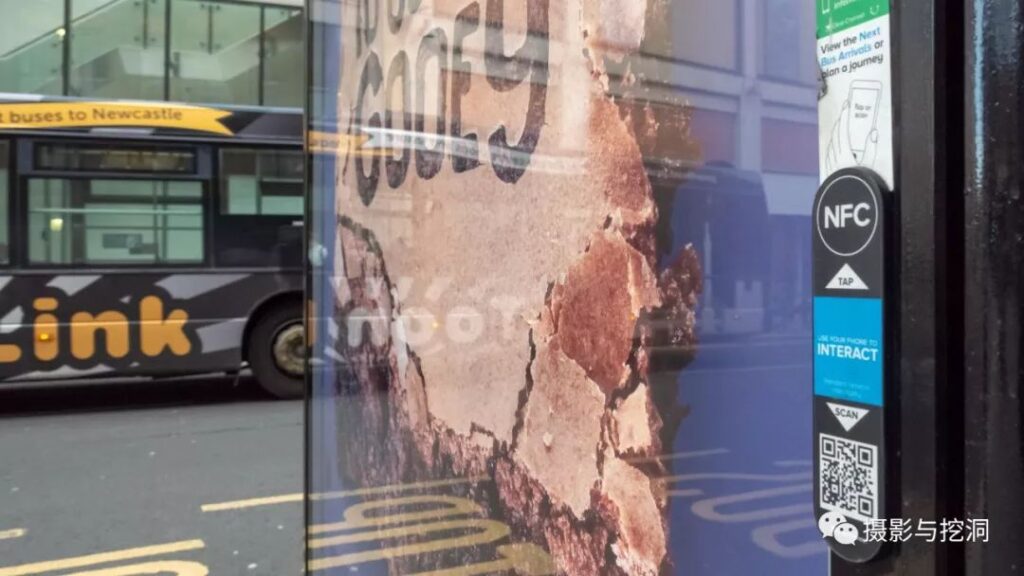
Figure 1. NFC tag advertisement at a bus stop in the United Kingdom
In addition to payments, NFC is widely made into electronic tags because they are convenient to read. They can store URLs, email addresses, telephone numbers, electronic business cards, and other information or custom data. NFC tags have functions similar to QR codes, but reading their information is unaffected by ambient light and they hold more information per unit area. Their drawbacks are that reading requires hardware support and the reading distance is usually shorter than that of a QR code. As an intuitive example, the figure below compares the carrier area for 500 bytes of information.
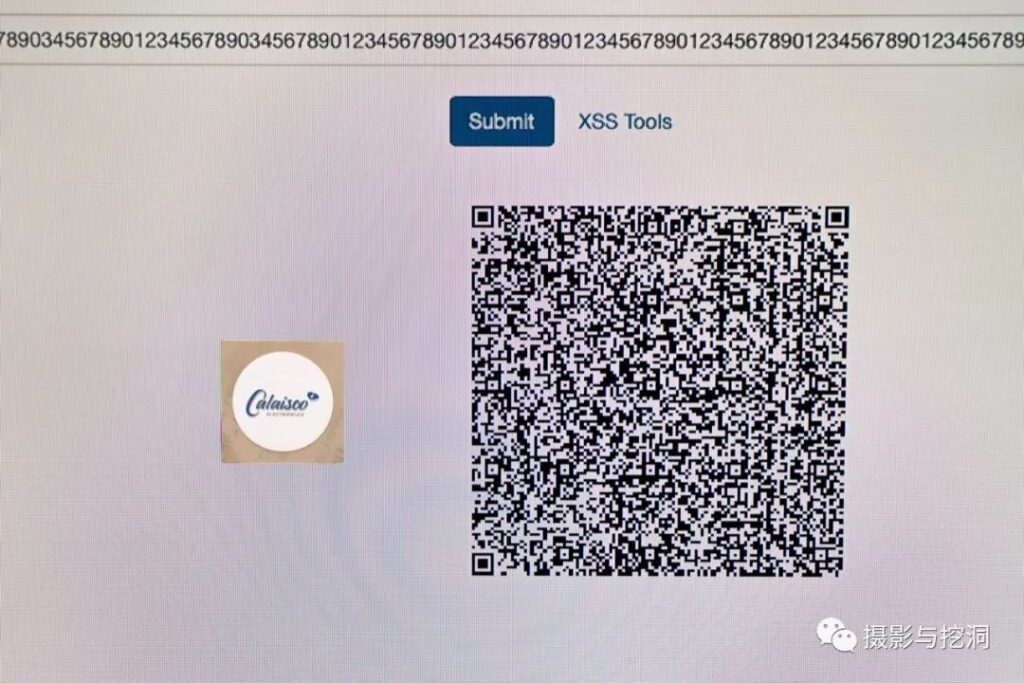
Figure 2. Comparison of a QR code and an NFC tag
Some phones include NFC modules for payments or reading information. Some cameras, headphones, and other devices include NFC modules for transmitting Wi-Fi, Bluetooth, and other information.
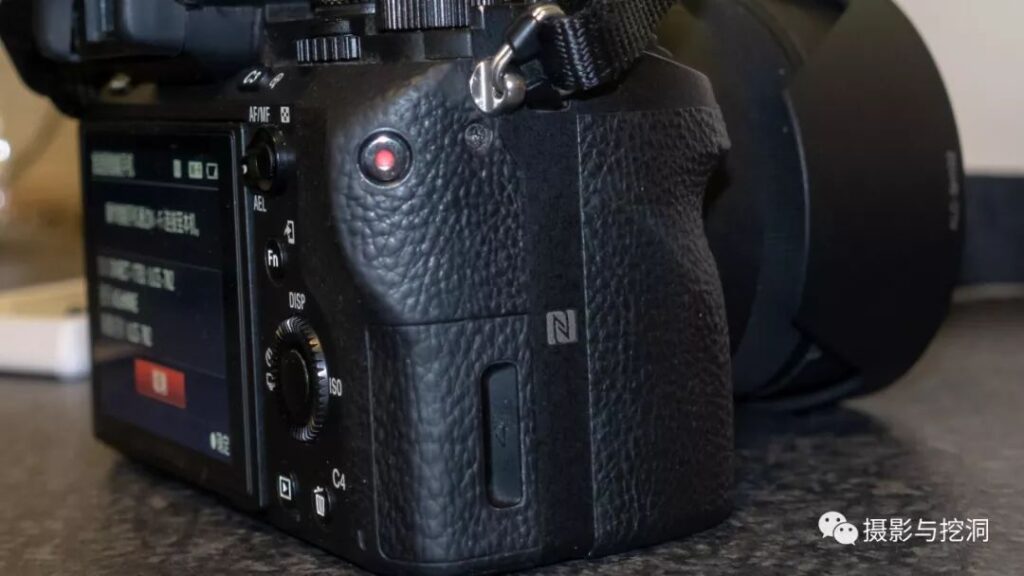
Figure 3. NFC functionality on the Sony α7 II
The ACR122U is an NFC reader produced by Hong Kong-based Advanced Card Systems Ltd. It uses a PN532 NFC chip and supports Mifare cards, ISO 14443 Type A and Type B cards, and all four types of NFC tags [4]. Because it can be used to research or crack cards such as Mifare cards that operate at 13.56 MHz, and can be further developed through an API, it is widely used by security researchers.
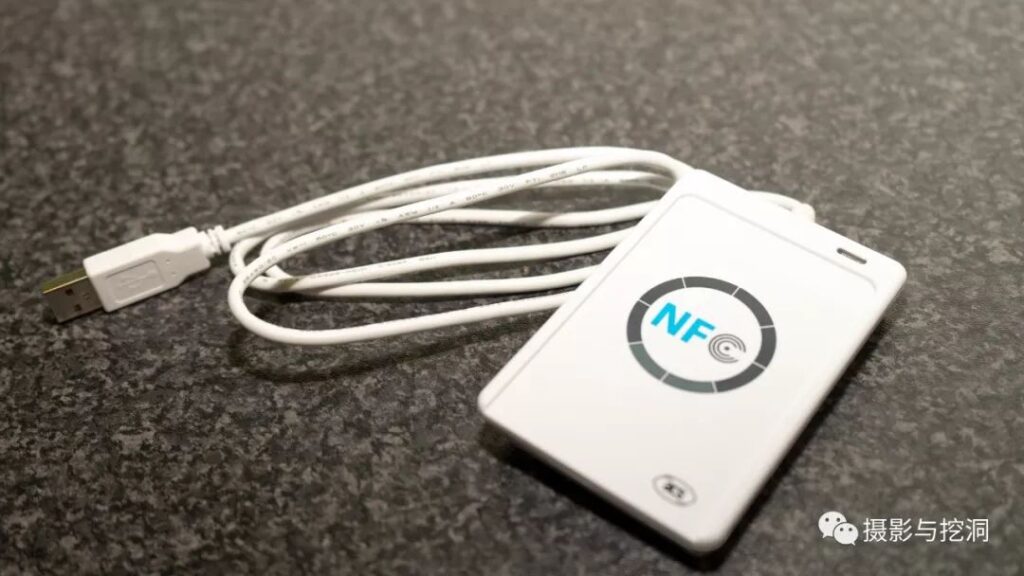
Figure 4. ACR122U reader photographed in use
The NTAG215 is an NFC electronic tag manufactured by Dutch company NXP. It follows the ISO 14443A1-3 standard, can store 504 bits of user data, and has a theoretical data retention period of 10 years. It can be rewritten 100,000 times, and a 32-bit write password can be set to prevent malicious tampering [5].
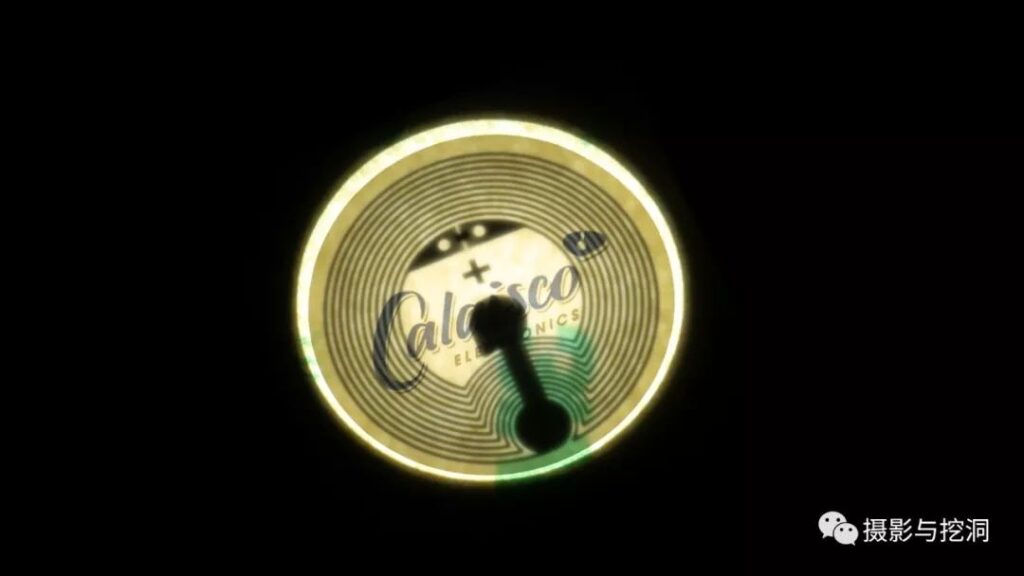
Figure 5. NTAG215 on a high-intensity flashlight
This article discusses how to use an ACR122U and an NTAG215 to read and write NFC tags containing URLs, electronic business cards, and other content in the NDEF format standard defined by the NFC Forum [6].
2. Materials
- ACR122U x1
- PC x1
- NTAG215 (or another NTAG model; the differences are shown below)
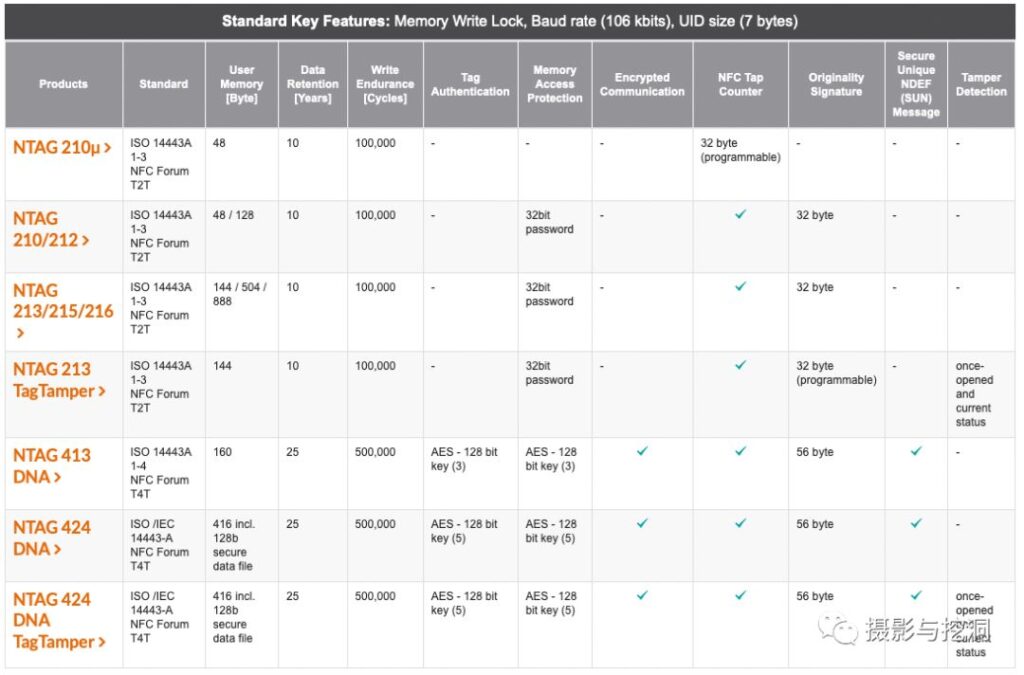
Figure 6. Differences among NTAG models [5]
3. Driver installation
Download the ACR122U driver from the ACS website; the official driver supports multiple versions of Windows, Mac, and Linux. After downloading, run the installer. (On macOS, restart after installing the driver for it to take effect; it was not tested on Linux.)
4. Writing and reading information
NTAGs can be read and written directly on an NFC-enabled Android phone by installing NXP’s official “NFC TagWriter by NXP” app or a similar app. When operating through a PC, an NFC reader such as the ACR122U is required.
4.1 Using third-party software
Many NFC reading and writing tools can be found online. Here I recommend NFC Tools from wakdev.com. It has versions for Windows, Mac, and Linux and supports 10 languages, including Chinese and English. Download it at: https://www.wakdev.com/apps/nfc-tools-pc-mac.html.
After installation, connect the ACR122U reader via USB and run NFC Tools. The connected device appears under “Options”.
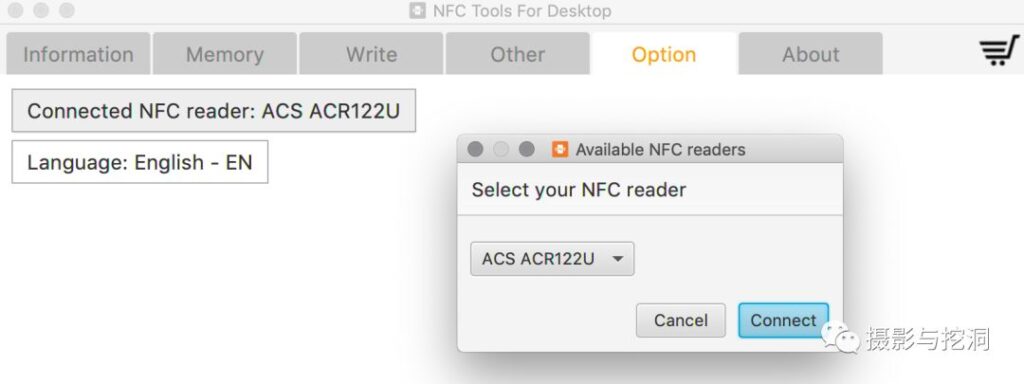
Figure 7. Connecting the reader
Place the NFC tag in the reader’s central area. The “Information” tab shows information stored on the current NFC tag, while the “Memory” tab records information from NFC tags read previously. The “Write” tab lets you create various types of data and write them to an NFC tag.
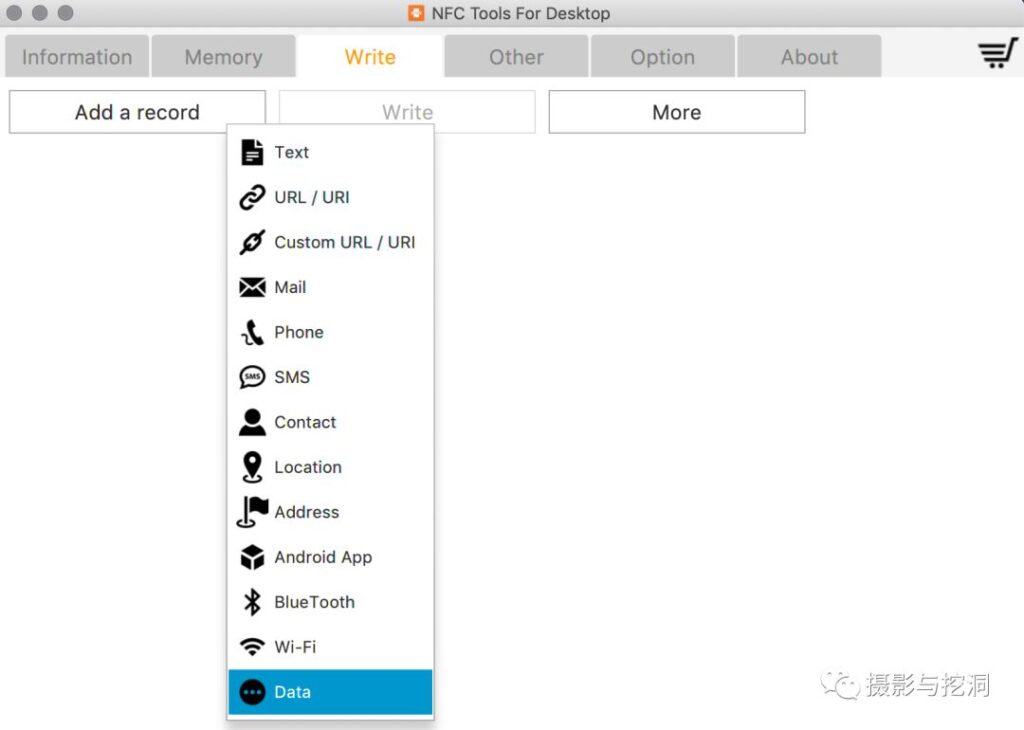
Figure 8. Creating a new record
After creating it, click the “Write” button to write the data.
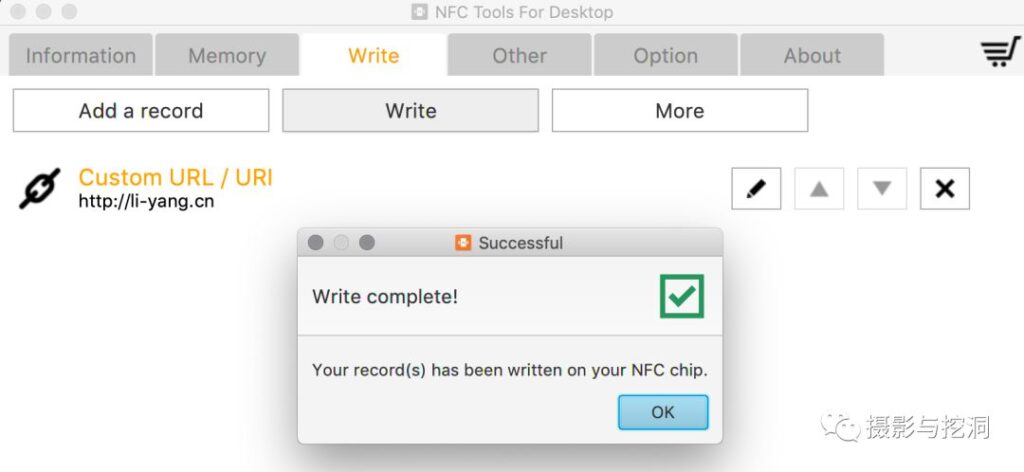
Figure 9. Data written successfully
4.2 Writing data with Python
If data needs to be written in batches, it is difficult to do so with third-party software. We can therefore use the third-party Python module nfcpy, which supports Windows and Linux. On Windows, first install the nfcpy module with pip install nfcpy, along with its dependencies WinUSB and libusb (the USB driver integration tool Zadig can be used for this installation) [7].
The python -m nfc command finds connected NFC readers; if the connection fails, it provides suggestions for connecting correctly.
The following code connects to an NFC device (from the official nfcpy documentation [8]):
>>> import nfc
>>> clf = nfc.ContactlessFrontend(‘usb’)
The following code reads the contents of an NFC tag:
>>> tag = clf.connect(rdwr={‘on-connect’: lambda tag: False})
>>> print(tag)
Type3Tag ‘FeliCa Standard (RC-S960)’ ID=01010701260CCA02 PMM=0F0D23042F7783FF SYS=12FC
NDEF is the NFC tag data-format standard defined by the NFC Forum. The ndef module can encode and decode it. Reading or assigning the tag.ndef.records instance directly operates on the tag’s data; one NFC tag can store multiple types of data. The code for reading data is as follows:
>>> record = tag.ndef.records[0]
>>> print(record.type)
urn:nfc:wkt:U
>>> print(record.uri)
The code for writing data is as follows:
>>> import ndef
>>> uri, title = ‘http://nfcpy.org’, ‘nfcpy project’
>>> tag.ndef.records = [ndef.SmartposterRecord(uri, title)]
Finally, close the connection when finished:
>>> clf.close()
5. Conclusion
Although NFC tags have many advantages over QR codes and most Android phones now support full-mode NFC, NFC tags have yet to become widespread because of the large Apple user base (the iPhone X and later models can already read NDEF-format URLs directly without a third-party app). I still look forward to a scenario in which, years from now, two people meeting to exchange business cards or add each other as friends can do so simply by bringing their phones or employee badges close together.
References:
- https://en.wikipedia.org/wiki/Near-field_communication
- https://en.wikipedia.org/wiki/Contactless_payment
- https://www.iso.org/standard/38578.html
- https://www.acs.com.hk/en/products/3/acr122u-usb-nfc-reader/
- https://www.nxp.com/products/secure-identification/smart-label-and-tag-ics/ntag/ntag-for-tags-labels:NTAG-TAGS-AND-LABELS#/
- https://nfc-forum.org
- https://zadig.akeo.ie
- https://nfcpy.readthedocs.io/en/latest/topics/get-started.html
Note: This is an original article; some quotations are identified in the references. Please credit li-yang.cn when reposting.