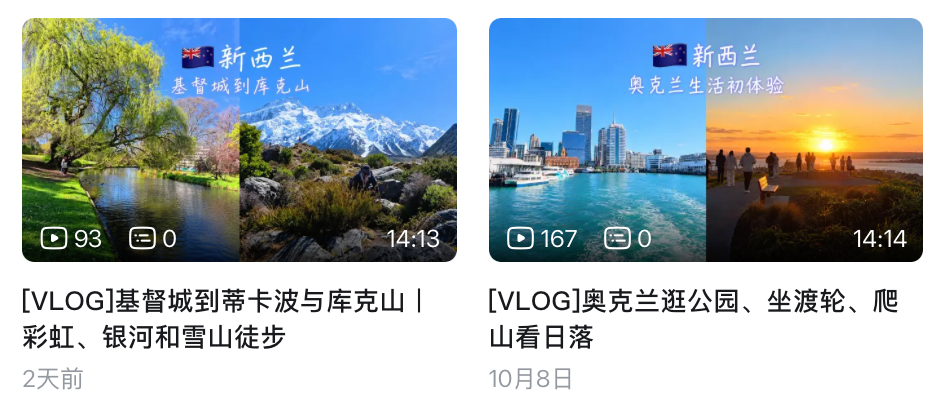
After more than ten days in New Zealand, I came home with hundreds of gigabytes of 4K footage on my memory cards.
Filming was fun. Thinking about editing it all was a headache. Organizing footage, finding clips, cutting out rambling, adding music and subtitles—every step takes time. I had also canceled my Final Cut Pro subscription and didn't feel like renewing it just for these episodes.
So I tried getting AI to help. I handed my usual editing workflow to an AI agent, ChatGPT Work.
Getting AI to follow my workflow
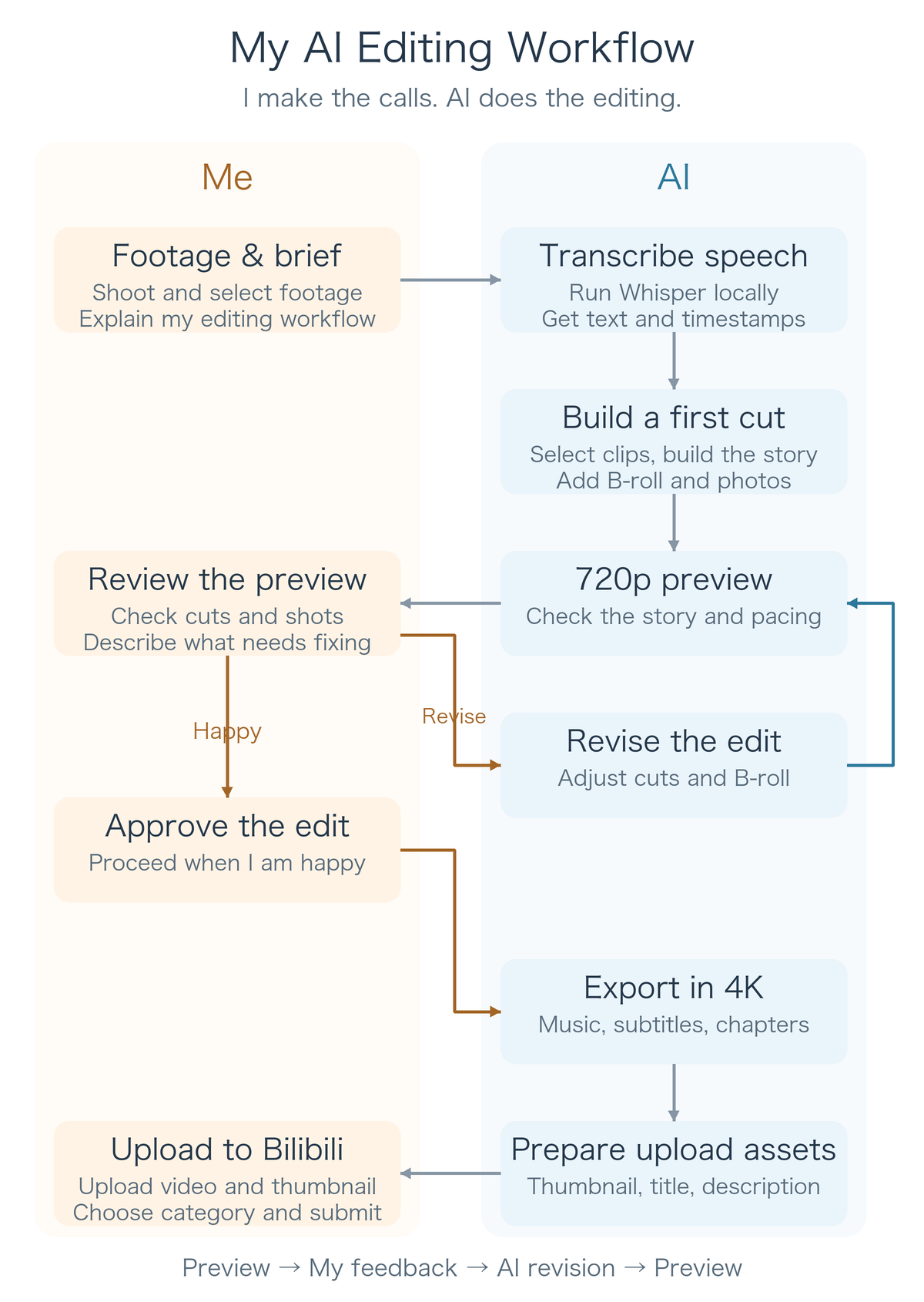
When I edit travel videos, I usually arrange the footage chronologically, listen to what I said along the way, and weave in scenery as B-roll. I followed the same approach this time.
First, I copied the footage from the dates I needed onto my computer. Once the copy was complete, I could eject the memory card and do everything else on the computer.
Then I had the AI run Whisper locally to transcribe the speech in the videos. From the text, it could roughly work out where I had been and what had happened, and build a storyline around my narration.
Once the storyline was in place, it added scenery and photos. I asked it to use clips with little talking as B-roll and keep photos on screen for about a second each.
Whisper's transcripts include timestamps. The AI could use those to locate the in and out points of each clip, then assemble the clips and supporting shots.
Preview in 720p, export in 4K
Although all the source footage was 4K, I asked for a 720p preview first. At this stage, I mainly wanted to check whether the story flowed and whether the cuts worked. A lower-resolution version was faster to process and easier to review repeatedly.
After watching, I told it exactly what needed changing: a cut that came too early, a sentence that was cut off, or B-roll that needed different coverage. It made another version, and I watched again.
After one or two rounds, once I was happy with the edit, it exported the 4K version.
I still had to watch the previews and judge the pacing. When I spotted a problem, I could just describe it and ask the AI to fix it.
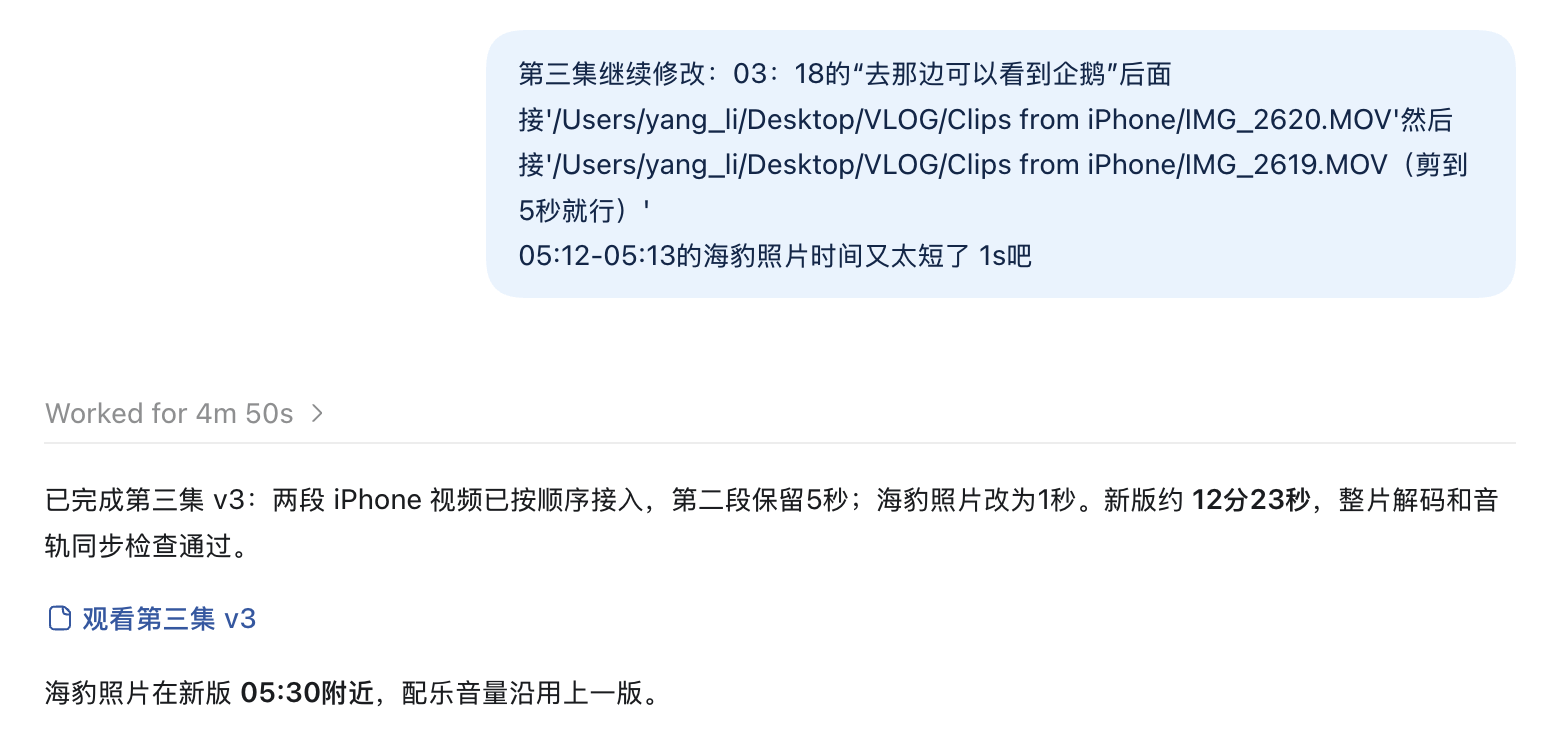
The conversation above is in Chinese. I asked it to insert two iPhone clips after a specific line, keep five seconds of the second clip, and extend a seal photo to one second. It returned a revised version with those changes.
Music, subtitles and chapter cards too
I also had it run Stability AI's Stable Audio 3 Medium locally to generate instrumental background music. My local hardware was sufficient for that.
It then embedded subtitles in the video and added chapter cards to make the sections clearer. Those sections also helped me organize the chapters when uploading to Bilibili.
For the thumbnails, I kept my usual style: two images side by side, a title, and the flag of the country. Codex used my earlier thumbnails as references and called an image generation tool to make the new one.
The video titles and descriptions could also be generated from the storyline we had already put together. Finally, I manually uploaded the videos and thumbnails to Bilibili, chose a category, filled in the details, and submitted them.
Getting the cut points right was tricky
The most noticeable problem was inaccurate in and out points.
Sometimes the transcript missed part of a sentence, misheard something, or skipped it entirely. Since the AI was editing from the text and timestamps, transcription errors could carry through into the cuts.
Later, I asked it to switch Whisper from the small model to the medium model. Processing was slower and needed more computing power, but recognition improved somewhat.
I corrected some of the subtitle errors manually. I accepted a few passages that were simply hard to hear. These vlogs are mainly a record of the trip and a way to share it, with a fairly diary-like feel. My expectations for them aren't especially demanding.
Next, I'd like to try exporting project files
For more detailed editing, I'd like to try having the AI export a project file for Jianying or DaVinci Resolve—some free editing software, in any case.
It could do the first pass, and I could open the project to fine-tune the cut points, shots and pacing. I haven't done that as part of this workflow yet; it's something to try later.
For this trip, having the AI follow my workflow and revise the edit based on my feedback was enough.